


Table of Contents
Alert
Alerts can be used to show temporary messages (e.g. notifications about Pfister / HHI office closures). They are an extension of the default Bootstrap alert module.
Info
<div class="full-width alert alert--info alert-dismissible">
	<div class="alert__container">
		<div class="alert__kicker">Helpful Tip</div>
		<div class="alert__text">
			<div class="alert__kicker">Helpful Tip</div>
			In honor of the President’s Day Holiday, our offices will be closed Monday Feb. 19, 2018. We will resume operational hours on Tuesday Feb. 20, 2018 from 6:30am to 4:30pm PST.
		</div>
		<button class="alert__close js-close-alert"><i class="icon-close"></i></button>
	</div>
</div>
Warning
<div class="full-width alert alert--warning alert-dismissible">
	<div class="alert__container">
		<div class="alert__kicker">Heads Up!</div>
		<div class="alert__text">
			<div class="alert__kicker">Heads Up!</div>
			In honor of the President’s Day Holiday, our offices will be closed Monday Feb. 19, 2018. We will resume operational hours on Tuesday Feb. 20, 2018 from 6:30am to 4:30pm PST.
		</div>
		<button class="alert__close js-close-alert"><i class="icon-close"></i></button>
	</div>
</div>
Success
<div class="full-width alert alert--success alert-dismissible">
	<div class="alert__container">
		<div class="alert__kicker">Success!</div>
		<div class="alert__text">
			<div class="alert__kicker">Success!</div>
			In honor of the President’s Day Holiday, our offices will be closed Monday Feb. 19, 2018. We will resume operational hours on Tuesday Feb. 20, 2018 from 6:30am to 4:30pm PST.
		</div>
		<button class="alert__close js-close-alert"><i class="icon-close"></i></button>
	</div>
</div>
Danger
<div class="full-width alert alert--danger alert-dismissible">
	<div class="alert__container">
		<div class="alert__kicker">Oh Snap!</div>
		<div class="alert__text">
			<div class="alert__kicker">Oh Snap!</div>
			In honor of the President’s Day Holiday, our offices will be closed Monday Feb. 19, 2018. We will resume operational hours on Tuesday Feb. 20, 2018 from 6:30am to 4:30pm PST.
		</div>
		<button class="alert__close js-close-alert"><i class="icon-close"></i></button>
	</div>
</div>
Icon + Text
Info Alert with Icon
<div class="full-width alert alert--info alert-dismissible">
	<div class="alert__container">
		<div class="alert__icon"><i class="icon-info"></i></div>
		<div class="alert__text">
			In honor of the President’s Day Holiday, our offices will be closed Monday Feb. 19, 2018. We will resume operational hours on Tuesday Feb. 20, 2018 from 6:30am to 4:30pm PST.
		</div>
		<button class="alert__close js-close-alert"><i class="icon-close"></i></button>
	</div>
</div>
Warning Alert with Icon
<div class="full-width alert alert--warning alert-dismissible">
	<div class="alert__container">
		<div class="alert__icon"><i class="icon-notification"></i></div>
		<div class="alert__text">
			In honor of the President’s Day Holiday, our offices will be closed Monday Feb. 19, 2018. We will resume operational hours on Tuesday Feb. 20, 2018 from 6:30am to 4:30pm PST.
		</div>
		<button class="alert__close js-close-alert"><i class="icon-close"></i></button>
	</div>
</div>
Success Alert with Icon
<div class="full-width alert alert--success alert-dismissible">
	<div class="alert__container">
		<div class="alert__icon"><i class="icon-checkmark-outline"></i></div>
		<div class="alert__text">
			In honor of the President’s Day Holiday, our offices will be closed Monday Feb. 19, 2018. We will resume operational hours on Tuesday Feb. 20, 2018 from 6:30am to 4:30pm PST.
		</div>
		<button class="alert__close js-close-alert"><i class="icon-close"></i></button>
	</div>
</div>
Danger Alert with Icon
<div class="full-width alert alert--danger alert-dismissible">
	<div class="alert__container">
		<div class="alert__icon"><i class="icon-warning1"></i></div>
		<div class="alert__text">
			In honor of the President’s Day Holiday, our offices will be closed Monday Feb. 19, 2018. We will resume operational hours on Tuesday Feb. 20, 2018 from 6:30am to 4:30pm PST.
		</div>
		<button class="alert__close js-close-alert"><i class="icon-close"></i></button>
	</div>
</div>
Text Only
<div class="full-width alert alert--info alert-dismissible">
	<div class="alert__container">
		<div class="alert__text">
			In honor of the President’s Day Holiday, our offices will be closed Monday Feb. 19, 2018. We will resume operational hours on Tuesday Feb. 20, 2018 from 6:30am to 4:30pm PST.
		</div>
		<button class="alert__close js-close-alert"><i class="icon-close"></i></button>
	</div>
</div>
Breadcrumbs
Standard Breadcrumbs
<nav class="breadcrumbs">
<ul class="breadcrumbs__list">
<li class="breadcrumbs__item">
<a href="/door-window-hardware" title="Door & Window Hardware" class="" style="background-color: #fff"><span>Door & Window Hardware</span></a>
</li>
<li class="breadcrumbs__item">
<a href="/c/hinges" title="Hinges" class="is-category" style="background-color: #6a2a27"><span>Hinges</span></a>
</li>
<li class="breadcrumbs__item">
<span>Door Hinges</span>
</li>
</ul>
</nav>Pagination
Sitefinity Standard Pagination
- 1
- 2 (current)
- 3
- 4
- 5
<ul class="pagination">
		<li><a href="#">1</a></li>
		<li class="active"><a href="#">2 <span class="sr-only">(current)</span></a></li>
		<li><a href="#">3</a></li>
		<li><a href="#">4</a></li>
		<li><a href="#">5</a></li>
	</ul>
Tooltips
Tooltips provide additional help content or descriptive content about a term, technology, etc.
Tooltips rely on the Tooltipster JavaScript library.
This tooltip contains plain text content.
This is the content of my tooltip!
Tooltip content can be hardcoded into the tooltip as a title attribute, but for longer content,
a better practice is to include your tooltip content in separate hidden element and reference it by ID with the
data-tooltip-content attribute.
<span class="tooltip js-tooltip" data-theme="tooltipster-light"data-tooltip-content="#tooltip1-content"><i class="icon-help-circle text-blue-bright"></i></span>

						<!-- This element is hidden but provides content that is shown when the user hovers or touches a tooltip -->
				<div class="tooltip-hidden-content" id="tooltip1-content">
					<p class="tooltip-content">This is the content of my tooltip!</p>
				</div>
This tooltip contains HTML content, w/ images and a link.
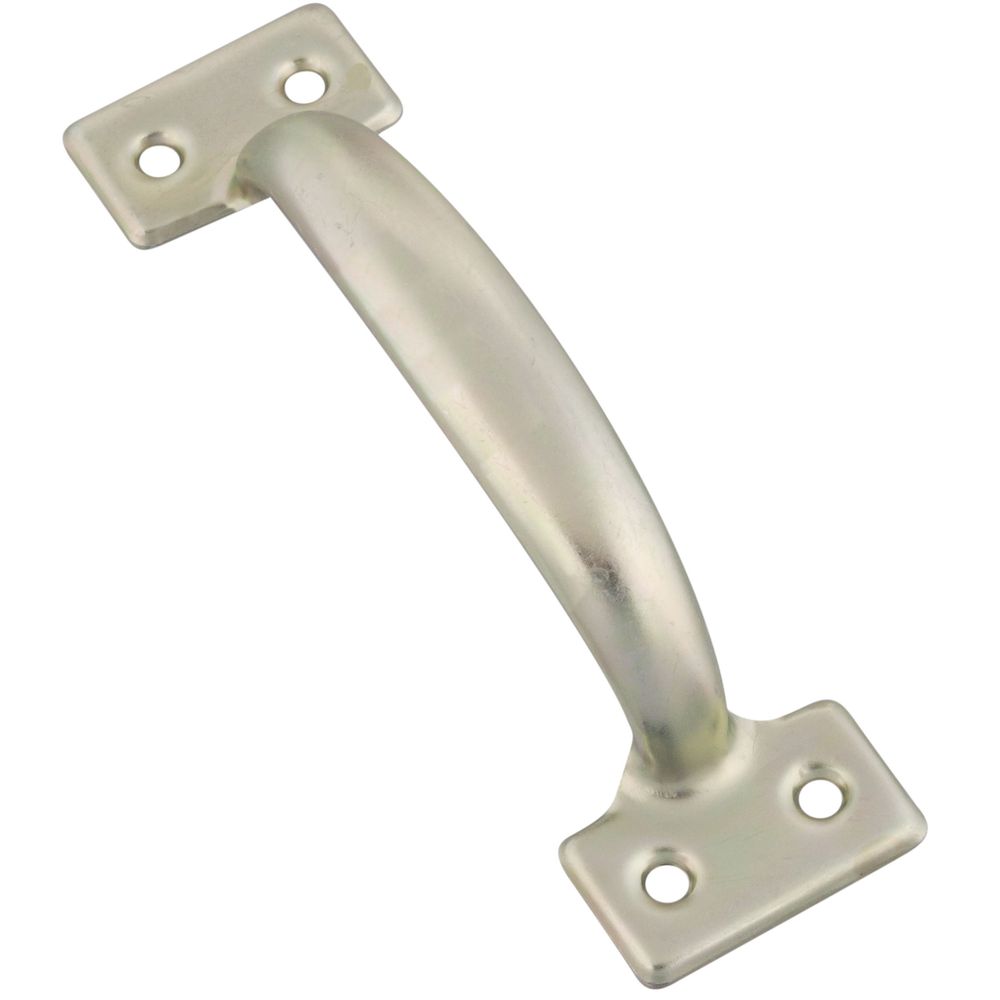
Gate Handle
This is some sample HTML content here.<span class="tooltip js-tooltip" data-tooltip-content="#tooltip2-content"><i class="icon-help-circle text-blue-bright"></i></span>
<div class="tooltip-hidden-content" id="tooltip2-content">
<div class="tooltip-content d-flex align-items-center">
<img src="img/nh-products/226845_c1.jpg" alt="" width="70" height="auto" />
<div class="pl-4">
<h5 class="m-0">Gate Handle</h5>
This is some sample <a href="#">HTML content</a> here.
</div>
</div>
</div>
Tabs
Tabs are used to present a list of choices. They can be used to hide and show sections of content (by wrapping the
content sections in .tab-list__contents).
Tabs rely on the JavaScript in js/NHW/modules/tabs.ts. There are several JavaScript hook classes in the tab markup that are important:
- The
.tab-list__tabselement must have an additional class of .js-tabs. - The
.tab-list__triggerelements must have an additional class of .js-tab on them
Tabs turns into a pulldown at smaller screen sizes.
Tabs
When using tabs to hide and show sections of content, you need the following elements:
- Each tab trigger (
.js-tab) needs adata-target="#element"attribute, where#elementis the selector of a div to show when that tab is active. - Tab contents must be wrapped in a div with classes
.tab-list__contentsand.js-tab-contents
<div class="tab-list mt-3">
	<div class="bg-gray-light">
		<ul class="tab-list__tabs js-tabs">
			<li class="tab-list__tab">
				<a href="#" id="toggle-sample" data-target="#sample" class="js-tab tab-list__trigger state-selected">Tab Sample</a></li>
			<li class="tab-list__tab">
				<a href="#" id="toggle-sample2" data-target="#sample2" class="js-tab tab-list__trigger">Tab Sample 2</a>
			</li>
			<li class="tab-list__tab">
				<a href="#" id="toggle-sample3" data-target="#sample3" class="js-tab tab-list__trigger">Tab Sample 3</a>
			</li>
		</ul>
	</div>
	<div class="tab-list__contents section-large js-tab-contents">
		<div id="sample" class="state-active">
			This is Tab 1
		</div>
		<div id="sample2">
			This is Tab 2
		</div>
		<div id="sample3">
			This is Tab 3
		</div>
	</div>
</div>
Sidebar
- When you create a page in Sitefinity you can select the "Page With Sidebar MVC" template. This template will have regions for you to drop your left navigation and content
- Or when editing a page select the "Layout" tab and select the "Sidebar" layout widget and drag to the page. It gives you placeholders for your navigation and your content area to be added just as the page template does.
Main Column Content
Lorem ipsum dolor sit amet, consectetur adipisicing elit. Architecto eaque et ex facere fugiat labore, laudantium maiores minima pariatur quae, quaerat, quas soluta tempora velit voluptates? Dolor labore officia provident!
Eligendi facilis itaque voluptas! Deleniti non, placeat porro possimus praesentium veritatis voluptatibus. Aspernatur, blanditiis deserunt dicta eius excepturi fugit hic maiores porro quam, quibusdam quidem repellat tempora, totam voluptates voluptatibus!
<div class="row d-md-flex">
	<div class="col-md-4 col-md-pull-8 col-lg-3 col-lg-pull-9 sidebar">
		<ul class="list-menu sidebar__menu">
			<li class="sidebar__item list-menu__heading sidebar__heading">Sidebar Menu</li>
			<li class="sidebar__item"><a href="#" class="sidebar__link">Page Link</a></li>
			<li class="sidebar__item"><a href="#" class="sidebar__link">Page Link</a></li>
			<li class="sidebar__item"><a href="#" class="sidebar__link state-active">Current Page</a></li>
			<li class="sidebar__item"><a href="#" class="sidebar__link">Page Link</a></li>
			<li class="sidebar__item"><a href="#" class="sidebar__link">Page Link</a></li>
			<li class="sidebar__item"><a href="#" class="sidebar__link">Page Link</a></li>
		</ul>
	</div>
	<div class="col-md-8 col-sm-push-4 col-lg-9 col-lg-push-3">
		<h2>Main Column Content</h2>

		<p>Lorem ipsum dolor sit amet, consectetur adipisicing elit. Architecto eaque et ex facere fugiat labore,
			laudantium maiores minima pariatur quae, quaerat, quas soluta tempora velit voluptates? Dolor labore officia
			provident!</p>
		<p>Eligendi facilis itaque voluptas! Deleniti non, placeat porro possimus praesentium veritatis voluptatibus.
			Aspernatur, blanditiis deserunt dicta eius excepturi fugit hic maiores porro quam, quibusdam quidem repellat
			tempora, totam voluptates voluptatibus!</p>
	</div>


</div>
Load Indicator
The loading indicator is used in places like product filtering and project filtering when there are actions taking place in the background, like an API POST or GET method. It is mostly used with Vue.js components
In the vue.js component there is typically a data property that will be set to true when the API request is made to cause the component to display, Ex: v-if="loadingResults". When the component receives the data back from the api in the return request this is set back to false causing the load indicator to disappear once complete.
<div class="load-indicator state-loading" v-if="loadingResults === true">
	<div class="load-indicator__indicator"></div>
	<span class="load-indicator__text">Loading</span>
</div>
<div class="load-indicator-cover" v-if="loadingResults === true"></div>
See More Expander
The see more expander helps conceal large portions of content for real estate space on the screen. When "See More" is clicked it will reveal everything that is concealed.
A data attribute on the container div data-max-height sets how tall you want the container before it cuts off. Please set in pixels, not in percentage.
Tools
-
 Box Saw
 -
 Chisel
 -
 Crescent Wrenches
 -
 Drill
Drill -
 Drill Bit
 -
 Hammer
 -
 Laser
Laser -
 Level
Level -
 Mallet
Other Supplies
- Landscape Timbers
- Gardening Soil
- Gardening Landscape Rocks
- Screws
- Level
<div class="see-more-expander js-see-more" data-max-height="200">
		<div class="see-more-expander__content">
			<div class="see-more-expander__content-wrap js-see-more-inner">
				(place content here)
			</div>
		</div>
		<a href="#" class="see-more-expander__link" data-title="@Html.GetString("WorkbenchProject.SeeMore")"></a>
	</div>